
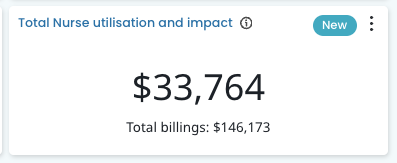
To navigate to this metric, go to Clinic Insights tab > Past Clinic Metrics > Operations tab > Total Nurse Utilisation & Impact
The key areas covered in this article are:
❗️IMPORTANT: To get the most out of these metrics, make sure the following two settings are applied in Cubiko:
- Any nurse with a column in the appointment book has the Nurse role assigned in Settings > Users.
- Nurse appointment types are categorised as such in Settings > Appointments.
What does this metric show?
These metrics bring together nursing time, appointment activity and billing in one place. With them, you can:
- See how nursing time is being used across different types of services, including Chronic Condition Management and Health Assessments
- Understand how nursing activity links to practice revenue, particularly where there are no direct billings associated
- Gain clearer insight into how nursing support contributes to overall practice performance
There are 2 tabs in this metric:
-
Nurse Utilisation & Impact
-
Nurse Hours

Nurse Utilisation & Impact
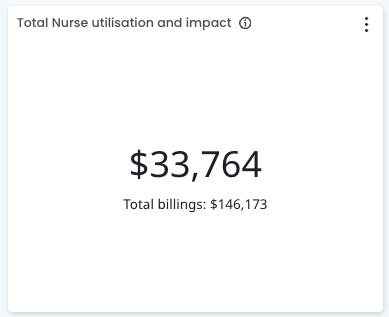
Total Nurse utilisation and impact
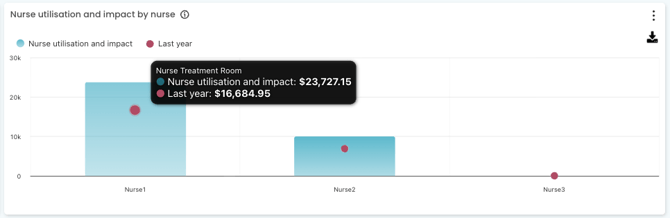
Nurse utilisation and impact by nurse
This figure represents billings that can be attributed to a nurse (inclusive of GST, and based on service date) by nurse. Nurse utilisation and impact is the value of all billings for patients who have a nurse appointment on the same day.
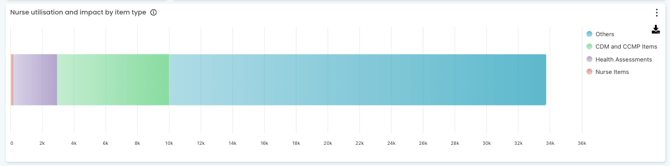
Nurse utilisation and impact by item type
This chart shows the value of billings that could be attributed to a nurse (inclusive of GST, and based on service date) by item type in the period selected. Nurse attribution is the value of all billings for patients that have a nurse appointment on the same day.
Nurse utilisation and impact by Practitioner billed
This list represents the billings that could be attributed to a nurse (inclusive of GST, and based on service date) by the Practitioner that the billing is with. Nurse attribution is the value of all billings for patients who have a nurse appointment on the same day.

Nurse Hours
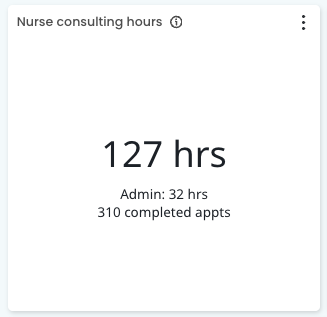
Nurse consulting hours
Total consulting hours for booked, completed, billed/paid (where relevant) appointments with nurses in the selected period.
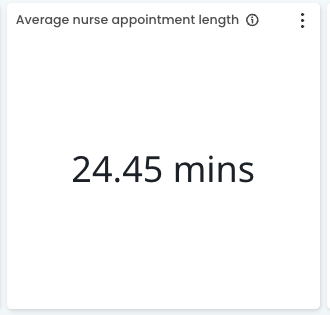
Average nurse appointment length
This figure represents the average length of completed appointments performed by nurses in the selected time frame. Appointment length is determined by the status change of the appointment to "With Doctor" as the start of the appointment time, which typically changes when the appointment starts, with the end time determined by the status change to "At billing" or "Completed".
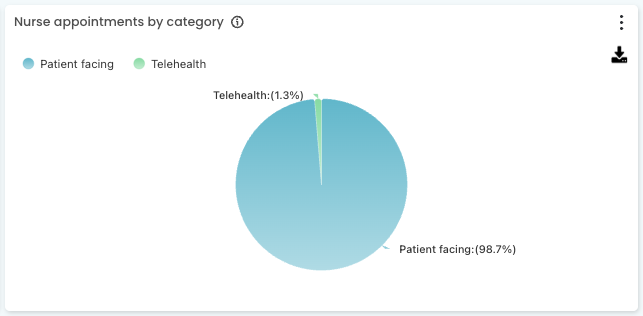
Nurse appointments by category
Total completed nurse appointments broken down by appointment category tag. Appointment types with multiple categories contribute to each relevant category.
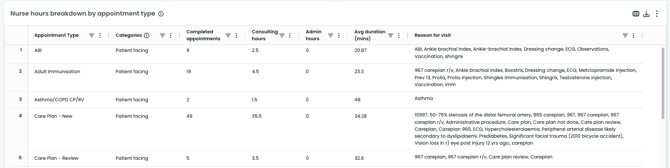
Nurse hours breakdown by appointment type
Total hours nurses spent on admin, completed, billed, and paid (where relevant) appointments broken down by appointment type.
TOP TIP! If your practice introduced CCMP services following the July 2025 MBS changes, these metrics are a great way to track whether that's translating into nursing time and revenue — and to compare before and after.
How to set this up
Configure your appointment types in Settings
To get the most out of these metrics, you'll need to categorise your appointment types in Settings > Appointments first. This tells Cubiko which appointments relate to CCMP, Health Assessments or other nursing activity, and links them through to your billing and utilisation data.
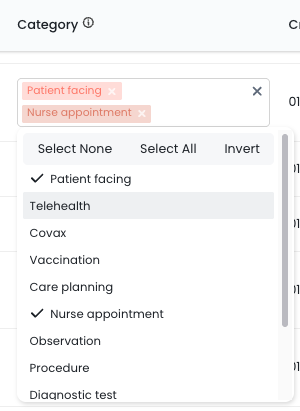
IMPORTANT: Ensure to review the tool tip to understand the categories. In particular Patient facing. This is an appointment conducted with a patient, whether in person or telehealth. All patient appointments should have this category listed. 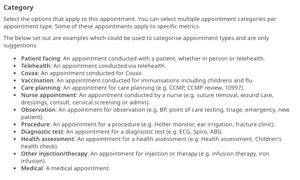
NOTE: If your appointment types haven't been configured in Settings, these metrics will not display data. Make sure your mappings are in place before reviewing results and allow an overnight extraction for the data to reflect in metrics.
How your team can use this
Practice Manager / Business Manager
Use these metrics to understand how nursing time contributes to practice revenue — particularly for services like CCMP and Health Assessments where nurses aren't always directly billing. Track trends over time and use the data to inform rostering, service mix and workforce planning.
Nurse / Nurse Practitioner
Cubiko viewers with authorised access to these reports can generate a downloadable or printable data to share with their nursing team. Help them to get a clear view of how their consulting time is being recorded and categorised. If nurse appointment types aren't mapped correctly in Settings, it affects how your nurse activity is reported across the practice.
Multisite Practices
For larger groups, these metrics support more consistent reporting across practices — making it easier to review nursing activity, compare service delivery, and maintain alignment at a group level via your Multisite dashboard.
To navigate to this metric in Multisite, go to: Multisite > Operations tab > Total Nurse utilisation and impact.
Filters
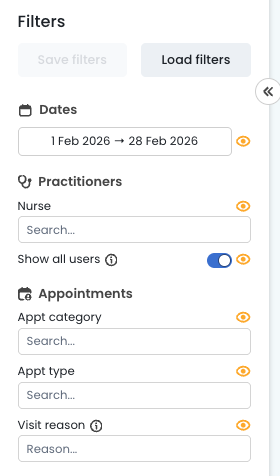
Depending on the tab you are reviewing, use the filters to narrow down the data to the nurses, appointment types, items or time period most relevant to you.
General filters
- Dates — defaults to last calendar month, but is adjustable to any time period you select
- Nurse — filter by an individual nurse or select multiple nurses
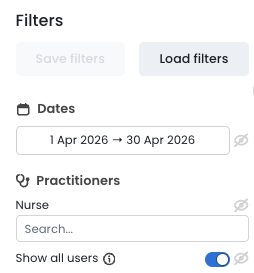
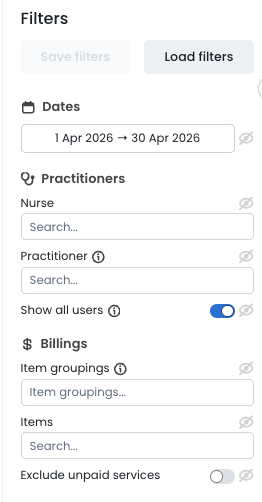
Nurse utilisation and impact tab filters:
- Practitioner - filter the practitioner who billed the item/s.
- Item groupings - This filter allows you to select a grouping of items most commonly associated together. All selections are inclusive; selecting multiple groupings will show items that belong to any of the selected groupings.
- Items - filter specific items billed on the day the patient was seen by a nurse
- You can also toggle to include/exclude unpaid items
Nurse hours tab filters:
- Appt category — filter by appointment category as configured in Settings > Appointments
- Appt type — filter by the specific appointment type used in your practice management system
- Visit reason — filter appointments by reason for visit where this has been recorded. For reasons not coded in Best Practice, filter on Custom reason
Things to keep in mind
Caution: These metrics rely on appointment type categorisation being set up correctly in Settings > Appointments. If appointment types are not mapped or are mapped inconsistently across Practitioners or locations, your data may not fully reflect nursing activity. We'd recommend reviewing your Settings before drawing conclusions from these metrics.