
It helps you run a more efficient, consistent operation across multiple sites, with reliable, scalable reporting and the right access controls for different roles.
The sections included in this article are:
- How Multisite can support your business
- How Multisite can support your team
- Navigating Multisite
- The Multisite Dashboard
- Default and Custom filters
- Additional resources and tools
NOTE: Some MD metrics are not available to be shown in Multisite
How Multisite can support your business
Cubiko Multisite turns complex data into straightforward, easy-to-read insights. We distill complex information into simple, visually appealing tables and charts to help the leadership team make informed, timely, and concise decisions for your practice group with clarity and confidence every time. We do this by:
- One view of performance across every practice - Easily see each practices performance in various metric, in one, single view. This allows you to make informed decisions for the group, as well as for individual practices.
- Operational efficiency and scalable insights - Use multisite to benchmark and monitor service quality, opportunities, track targets, and improve patient outcomes and billings with item optimisation.
- Better utilise your teams time - Find the data you need faster, saving admin time in collating the data manually via reports and individual dashboards.
More information available on our website. Click here to see more.
How Multisite can support your team
Multisite is designed for leadership teams in General Practice, including C-suite, operational/area managers, finance, and data analysts.
Ops managers
Cubiko Multisite gives Operations Managers a clear, consolidated view of key metrics across the entire group. Compare performance, identify outliers, and track progress without switching between systems or chasing spreadsheets. Spend less time gathering data and more time driving operational improvements.
Finance team
Cubiko Multisite simplifies financial oversight by bringing billing, revenue, and service fee insights from every practice into one central view. Quickly assess trends, monitor income streams, and support accurate forecasting without manual reconciliation or siloed reports.
IT & data managers
Cubiko Multisite removes the burden of maintaining spreadsheets, data exports, and fragmented reports. IT teams no longer need to build or manage custom dashboards across multiple sites. With automated, secure reporting in one platform, your team saves time and reduces risk without compromising on data quality or access.
NOTE: Multisite does not include any PII (Personally Identifiable Information), so you can confidently share access with your accounting team and other key business stakeholders who need insights to make informed decisions, without needing access to clinical detail. Individual practice dashboards do include PII, enabling Practice Managers and clinical teams to action metrics and quickly identify patients.
Navigating Multisite
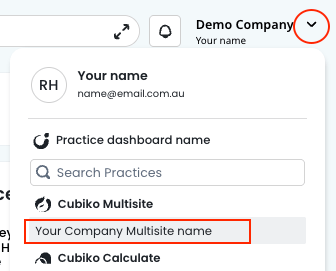
To access Multisite, select your practice name in the top right corner of Cubiko and choose your Multisite dashboard from the list.
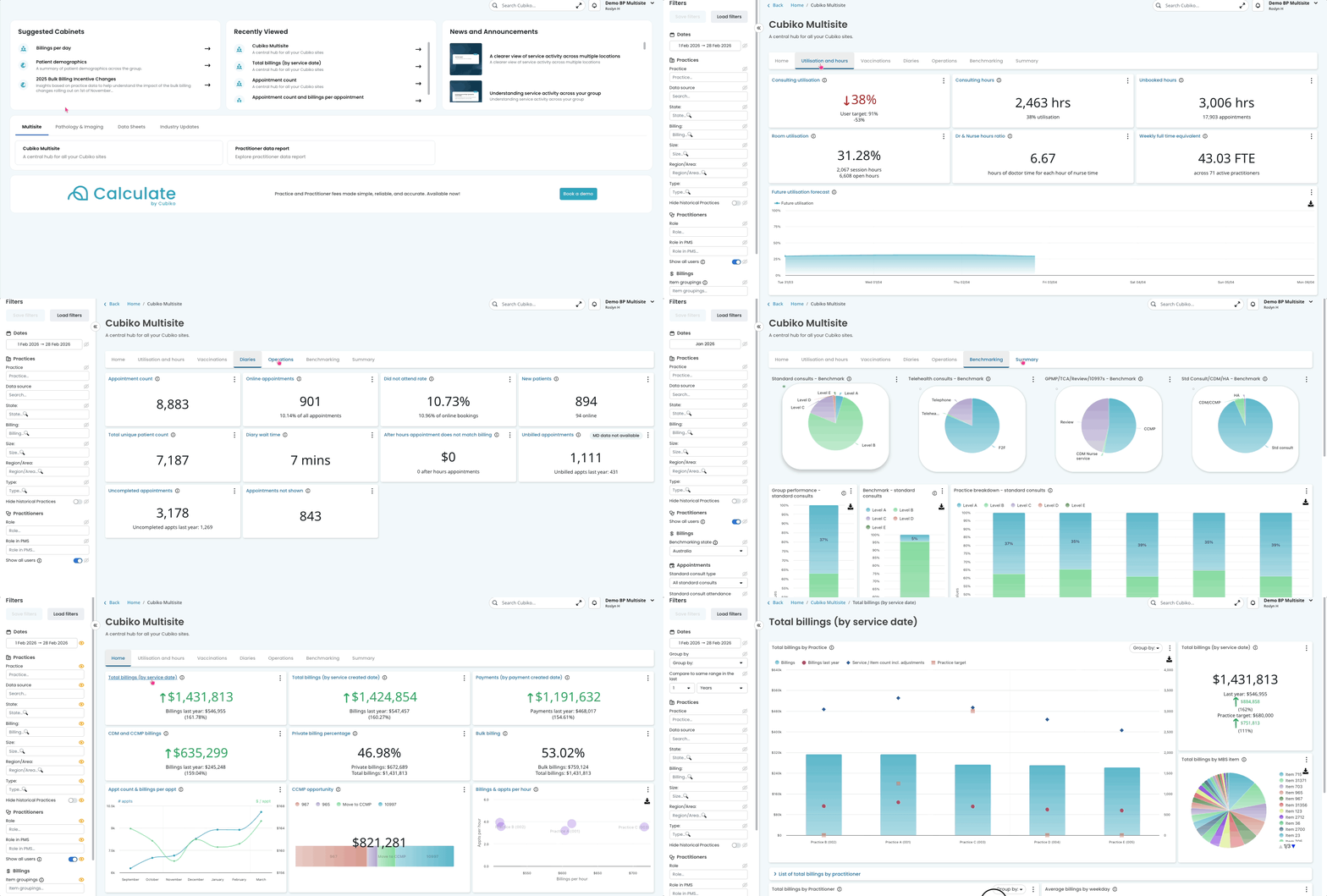
Once inside, you'll see five top-level tabs across the top of the page:
- Multisite — your central hub, including the Cubiko Multisite dashboard and Practitioner data report
- Pathology & Imaging — insights into outgoing pathology referrals, incoming results, and imaging requests across the group
- Data Sheets — downloadable data exports for billing, payments, patient demographics, Tyro transactions, Lyrebird appointments, services, and more
- Industry Updates — dashboards built around specific industry changes, such as the 2025 Bulk Billing Incentive Changes and Chronic Condition Management Plans (CCMP)

The Multisite dashboard
To navigate to your Multisite dashboard, go to: Your name and list of practices > Multisite dashboard.
The Cubiko Multisite dashboard is the main hub for group-wide performance reporting. It contains a series of inner tabs, each focused on a different area of your practices.
The metrics in the Multisite dashboard are similar to those found in your individual Cubiko Insights dashboard — but rather than showing patient-level data, they show how your practice data looks across the group. To dive deeper into the data and see PII, head to the relevant metric in your Insights dashboard.
Home tab
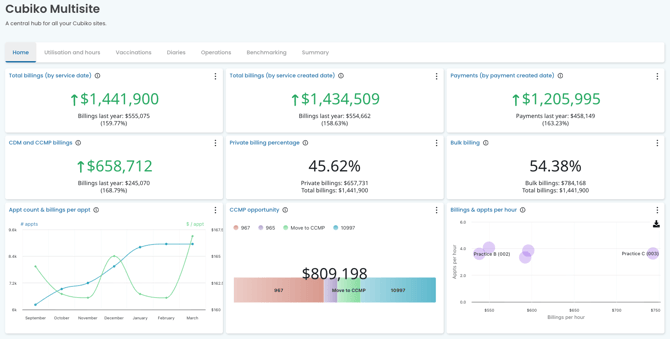
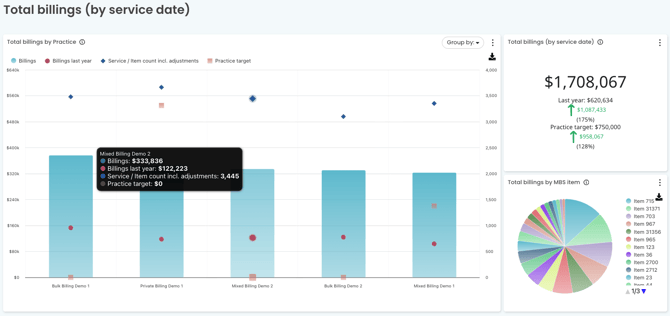
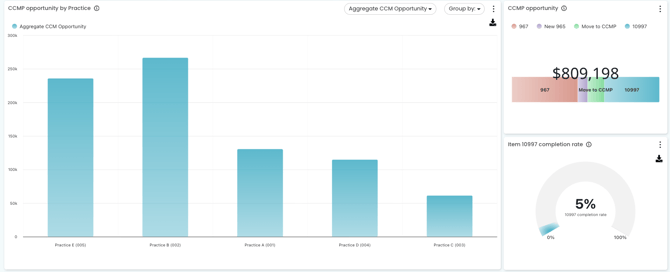
A high-level snapshot of financial performance across the group. See metrics including Total billings, Payments, Bulk billing and Private billing percentages, CDM and CCMP billings and opportunities, Appointment counts & billings per appointment, and Billings and appointments per hour — all in one dashboard view. Click through each of these metrics to see a breakdown of the data for each metric.
Utilisation and hours
Understand how time is being used across your sites. This tab helps you assess capacity, identify gaps, and compare role-based utilisation across practices.
Vaccinations
Track flu vaccination and Covid-19 vaccination activity across the group, including volumes and trends. Useful for monitoring flu season performance or identifying practices with lower uptake.
NOTE: Shingles vaccinations are available in individual practice dashboards.
Diaries
An overview of appointment book activity across sites. See how diaries are being filled and compare appointment patterns across the group.
Operations
Key operational metrics to help you monitor the day-to-day running of your practices at a group level, including cash flow, recalls, reminders, and MyMedicare. Useful for identifying where opportunities and revenue may be slipping through the cracks and prioritising follow-up at site level.
Benchmarking
Compare performance across your practices against Medicare benchmarks. Useful for setting targets, recognising high performers, and identifying where support is needed.
Summary
A consolidated view of key metrics across the group, broken down into separate tables for Practices, Practitioners, and Roles. A quick-read snapshot for leadership reporting or board updates.
Filters
The Multisite filters allow you to slice group data in a number of ways. This is particularly helpful if you want to see data on a particular group of practices, such as by Region or State.
Default filters include:
- Dates — select a custom date range to apply across all metrics
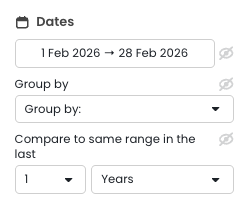
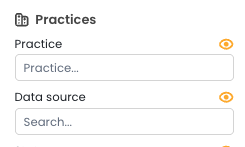
- Practices — Practice: filter to one or more specific practices within your group. Data source: filter by the practice management system (PMS) data source
- Hide historical Practices — toggle to exclude practices that are no longer active in your group, but still hold reporting data.
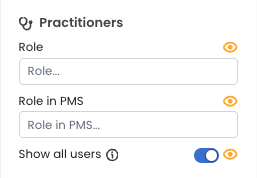
- Practitioner filters — filter by Role, Role in PMS, or show all users
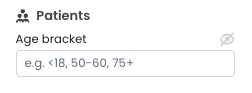
- Patients — filter by patient age
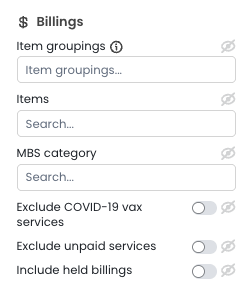
- Billings — filter by item groupings, MBS items, and more
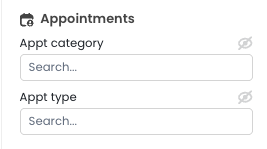
- Appointments — filter by appointment types as set up in your PMS
Custom Filter tags
Multisite customers can configure up to five custom filter tags, set up by the Cubiko team, to segment your practices in ways that matter most to your business. These tags categorise your individual sites across the group, making it easy to compare performance — for example, bulk billing versus mixed billing practices, or metro versus regional. Reach out to the Cubiko team to get yours set up.
Common examples include:
- State — view performance by state or territory
- Billing — filter by billing type such as Bulk Billing, Mixed Billing, Private Billing
- Size — filter by practice size. Eg. Large, medium, small, or by FTE size.
- Region/Area — filter by region or area grouping, or even by the Mangers names if they look after multiple practices.
- Type — if you have a mixture of business types, you can filter by practice type such as:
- Urgent Care Clinics (UCC)
- Skin clinics
- GP clinics
- Specialist clinics
TOP TIP! Once you've set your filters, select Save filters to save your configuration to your login. Next time you're in Multisite, simply select Load filters to apply them straight away. More info here: Creating and Applying Saved Filters
Additional resources and tools
- If you are an existing Cubiko Insights customer and would like to explore whether a Multisite dashboard would be useful for your group, please reach out to your Customer Success Specialist.
- More information available on our website. Click here to see more.