
This workflow brings together the Item Optimisation, Patient Cohorts and reporting tools your whole team can use, from Practitioners spotting opportunities in a consult to reception and nursing staff running proactive checks. Eligibility criteria for these plans is covered in Sections 1 and 3.
NOTE: Reviewing a patient already on an MHTP is billed using a standard time-tiered consultation based on the appointment length, rather than a separate review item (2712, 2713 and telehealth equivalents were removed from the MBS on 1 November 2025).
The sections included in this article are:
1. Opportunistic MHTP patient engagement
2. Proactive MHTP patient engagement
3. Eating disorder item numbers
4. Using Patient Cohorts to find specific patient groups
1. Opportunistic MHTP patient engagement
This metric shows patients already booked in today who may have an MHTP opportunity.
Navigate to Clinic Insights > Today's clinic metrics > Possible service opportunities today
Eligibility for a new MHTP is based on patient demographics and previous billings at your practice. This excludes patients who've had an MHTP item billed in the past 12 months.
- Items 2700 and 2701 - for Practitioners who haven't completed Mental Health Skills Training
- Items 2715 and 2717 - for Practitioners who have completed Mental Health Skills Training
Further information on MHTP item eligibility can be found on MBS Online.
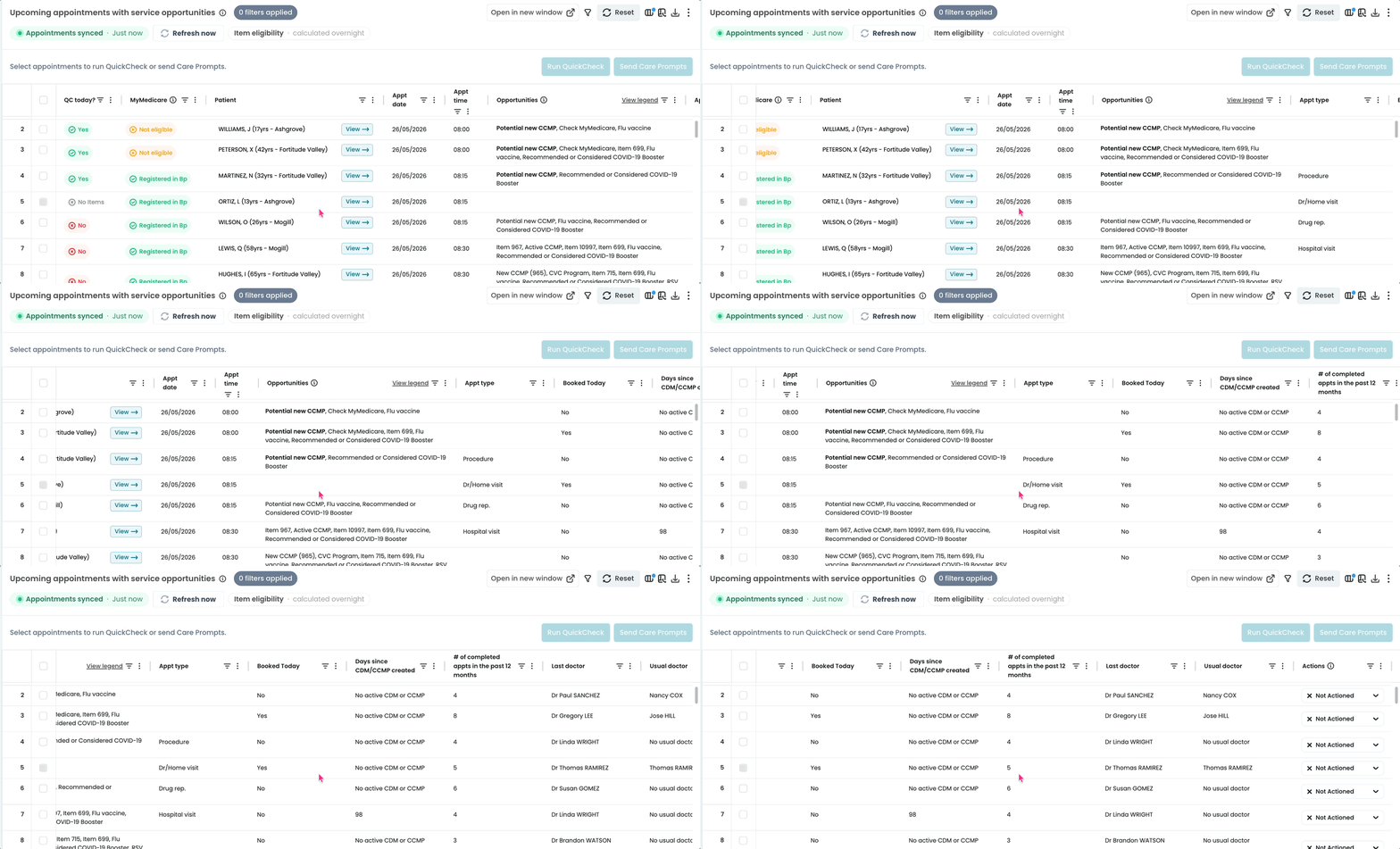
Use QuickCheck to verify their eligibility with Medicare, then send the opportunity straight to the Bp appointment book with Care Prompts, so the whole team can see it and either provide the service today or book it in for the patient's next appointment. The Practitioner makes the clinical call, and reception can then schedule accordingly.
Alternatively, you can view the list of opportunities and download and print the list for your providers to have at their desks. Use the download button on the top right of the table.
See our Possible service opportunities today article for more on filters and key components.
Note: QuickCheck and Care Prompts is available for Bp customers only. Other PMS users can still use this list by printing these tables for their teams.
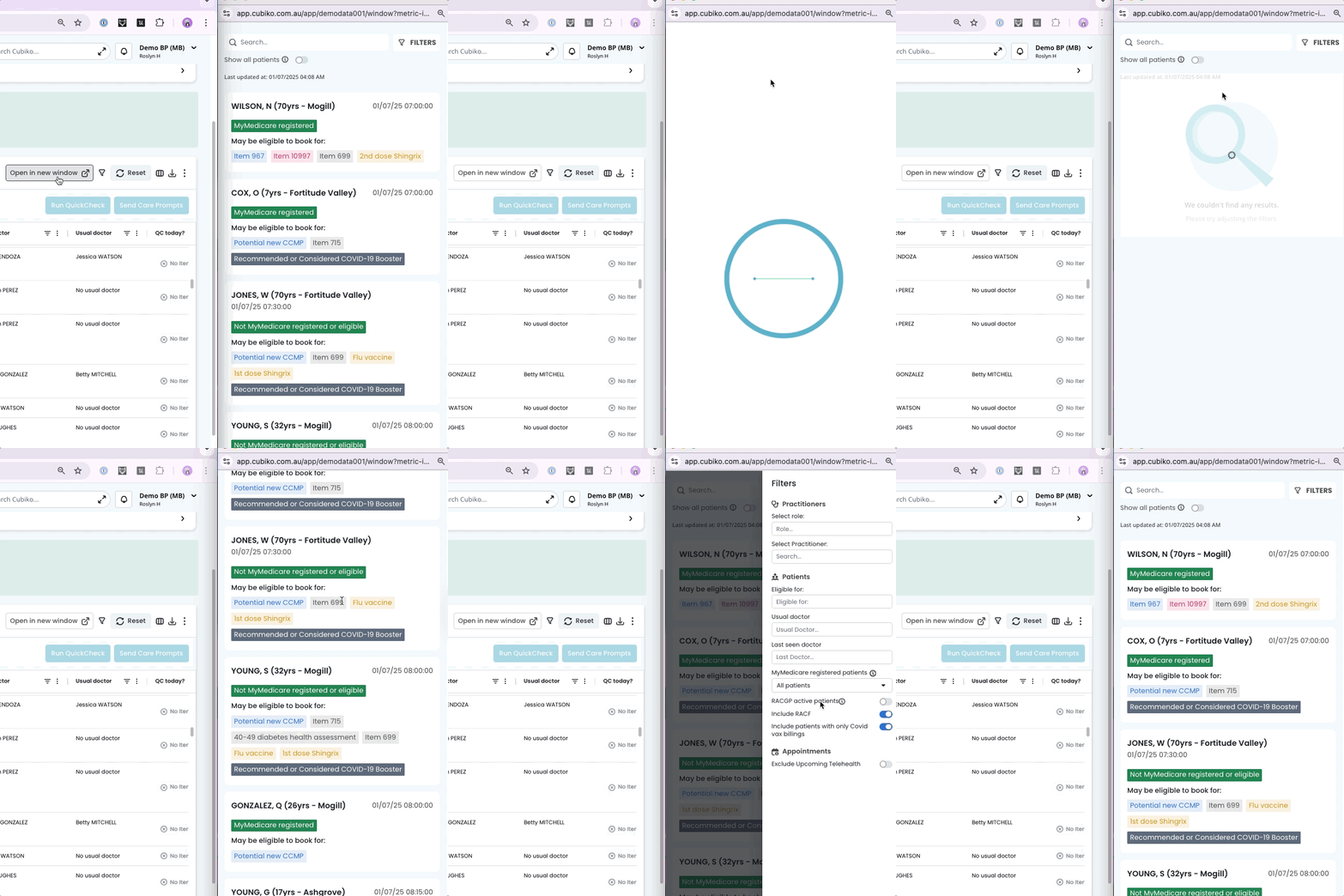
TOP TIP! Practitioners with My Cubiko access can pop this same list out into a resizable window that runs alongside their practice management software, so there's no need to print.
Download our Doctor Direction Sheet to help communicate with reception which patients you'd like rebooked.
2. Proactive MHTP patient engagement
The Item Optimisation cabinet looks at your whole active patient base, not just patients with an appointment booked. It has two lists you'll use for MHTP: one for finding new patients, one for following up on existing ones.
Navigate to Clinic Optimisation > Item Optimisation
Both lists include MyMedicare status, next appointment details, and Practitioner. Filter by Practitioner or date range, then export to CSV or print directly from Cubiko to discuss with the relevant Practitioner. Sort columns by days since last MHTP to find patients most overdue for a check-in.
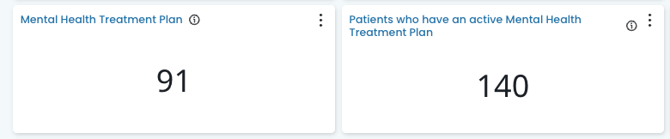
Patients who may be eligible to book for a Mental Health Treatment Plan
This list shows patients who, based on previous billings, may be eligible for a new MHTP. Eligibility includes VR and prescribed medical practitioner item numbers, as well as Telehealth and Telephone item numbers.
Patients with an active Mental Health Treatment Plan
This list shows patients who've had an MHTP billed in the past 12 months and are coming in for an appointment in your chosen date range, so you can proactively check in rather than waiting for a review prompt that no longer exists.
TOP TIP! Use Patient contacts to quickly pull up a patient's phone number for a follow-up call. See Patient Contacts Feature
Or export the list and use with a third-party booking integration like Automed or HotDoc for Bulk SMS. See how to export a CSV file.
Check your capacity first! Before reaching out to patients to book in, make sure your practice has the appointment availability to book them in.
Navigate to Clinic Insights > Future clinic metrics to review:
3. Eating disorder item numbers
Patients with an eating disorder diagnosis may be eligible for an Eating Disorder Treatment and Management Plan (EDTMP), a separate item number to a standard MHTP.
Eligibility generally requires a clinical diagnosis of anorexia nervosa, or another eating disorder diagnosis meeting specific clinical indicators. Full criteria are set out on the Medicare Benefits Schedule (Note AN.36.2 and Note AN.36.3).
CAUTION: A patient generally can't claim an EDTMP and an MHTP preparation item within 12 months of each other, unless there are exceptional circumstances. Worth keeping in mind when reviewing item numbers billed for a patient.
You can track these billed services using the Billing Reporting functions in Cubiko.
4. Using Patient Cohorts to find specific patient groups
Patient Cohorts lets you build your own patient groups to look at data for a specific set of patients across Cubiko. For mental health, this is a useful way to find patients by condition, such as anxiety, depression or an eating disorder (and more), demographics like age or gender, by medications, which is useful if you want to look at patients on a particular mental health medication regardless of their coded condition, or even Reason for Visit.
Navigate to Patient Cohorts, then create a cohort filtered by condition, demographics or medication.
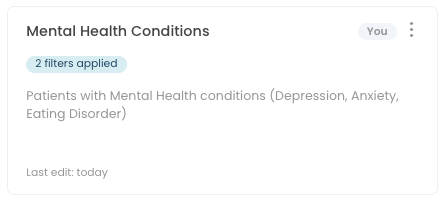
Once saved, apply your cohort across other Cubiko metrics to explore that patient group further.
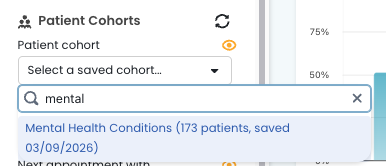
See our Patient Cohorts guide for more on building and saving cohorts.
5. Billing Reporting
Track the services you have provided for Mental Health billings.
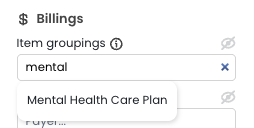
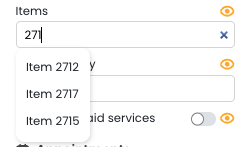
Navigate to Past Clinic Metrics > Total Billings (by service date), then filter by MHTP items using either:
- Item groupings, and search for Mental Health Care Plan for a ready-made group of MHTP items
- Items, if you'd rather select individual item numbers such as MHTP items (including past items like 2712 and 2713 if you want to compare billing before and after the November 2025 change), or Eating Disorders,
This shows total billings for your selected items, a Practitioner breakdown, a trend line over time, and a list of patients who received these services.
TOP TIP! Use Saved filters to save this item selection so you don't have to rebuild it each time.
6. Additional resources and tools
- Further information about patient eligibility for item numbers can be found on the Medicare Benefits Schedule Online (MBS Online) here.